CSS Selectors 101: Targeting Elements with Precision
Why CSS Selectors Are Needed
HTML gives structure to a webpage.
CSS gives it style.
But CSS has a problem to solve first:
Which elements should these styles apply to?
That’s exactly what CSS selectors do.
Selectors are the mechanism that lets you choose elements from the HTML and apply styles to them. Without selectors, CSS wouldn’t know where to act.
Think of Selectors Like Addressing People
Imagine you’re in a room full of people.
“Everyone, listen up” → targets everyone
“All students” → targets a group
“That person in the blue shirt” → targets one specific person
CSS selectors work the same way.
The Foundation: Element → Class → ID
We’ll go in this exact order, because that’s how CSS naturally scales.
Element Selector
The element selector targets HTML elements by their tag name.
Example HTML
<p>This is a paragraph</p>
<p>This is another paragraph</p>
CSS
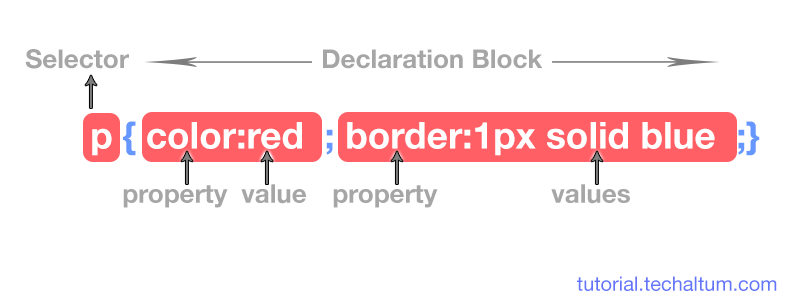
p {
  color: blue;
}
Result
All <p> elements turn blue.
When to Use
Global styling (headings, paragraphs, lists)
Very broad rules
Limitation:
You usually don’t want every element of a type styled the same way.
Class Selector
The class selector targets elements that share a class name.
HTML
<p class="highlight">Important text</p>
<p>Normal text</p>
CSS
.highlight {
  background-color: yellow;
}
Result
Only the paragraph with class="highlight" is styled.
Why Classes Matter
Reusable
Flexible
Can be applied to many elements
Most real-world CSS is written using class selectors.
![Difference between id and class in HTML [ID vs CLASS]](https://ds86ezgzhjiyh.cloudfront.net/images/2019/february/never-repeat-id-inside-your-html-markup-follow-standards-to-create-valid-markup.jpg)
ID Selector
The ID selector targets exactly one element.
HTML
<h1 id="main-title">Welcome</h1>
CSS
#main-title {
  font-size: 32px;
}
Important Rule
An ID must be unique on the page.
When to Use
Rarely
For unique layout anchors or JS hooks
In modern CSS, classes are usually preferred over IDs.
Group Selectors
Sometimes you want to apply the same style to multiple selectors.
CSS
h1, h2, p {
  font-family: Arial;
}
This means:
“Apply this style to h1 OR h2 OR p”
Why This Is Useful
Reduces repetition
Keeps CSS clean
Descendant Selectors
Descendant selectors let you target elements inside other elements.
HTML
<div>
  <p>This paragraph is inside a div</p>
</div>
CSS
div p {
  color: green;
}
Meaning
“Select any
<p>that is inside a<div>”
This is how you scope styles to sections of a page.

Selector Priority
Sometimes multiple selectors match the same element.
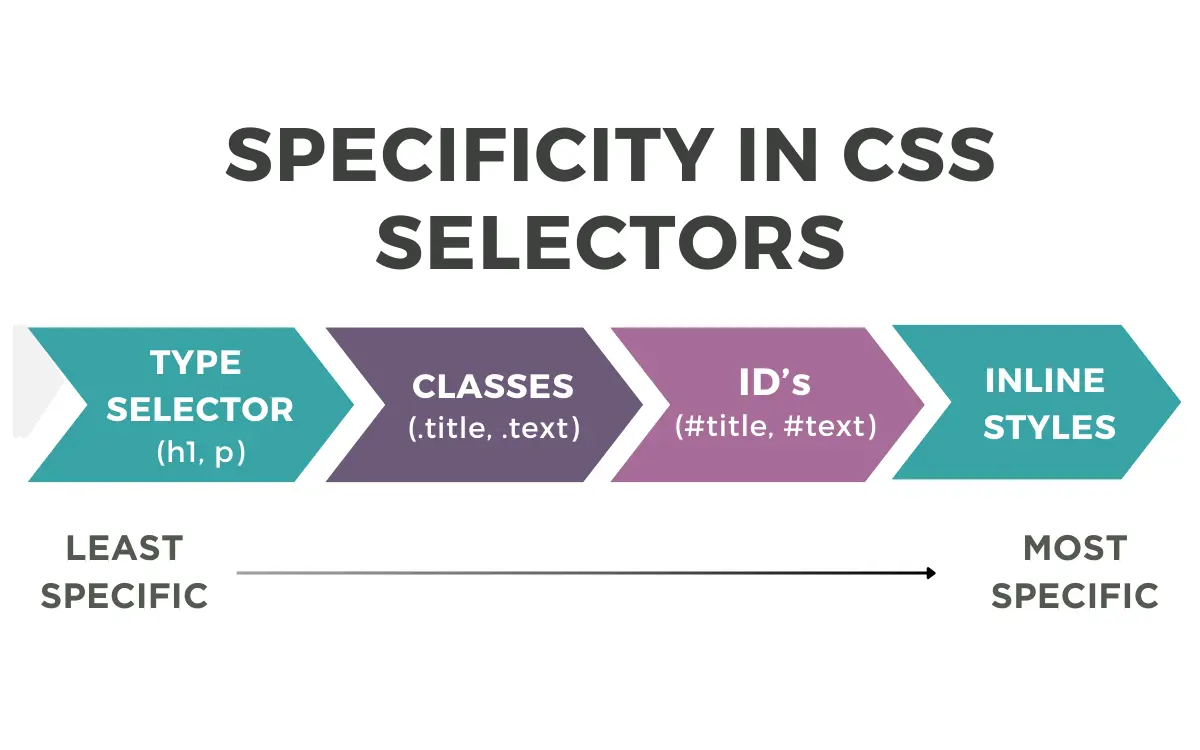
CSS resolves this using specificity.
Very simplified order:
ID selector > Class selector > Element selector
Example:
p {
  color: black;
}

.text {
  color: blue;
}

#special {
  color: red;
}
The element with id="special" will be red.
More specific selectors win.
Before and After
Without Selectors
color: red;
CSS has no idea where to apply this.
With Selectors
p {
  color: red;
}
Now CSS knows:
“Apply red text to paragraphs.”
Selectors turn CSS from decoration into precision styling.
Inspect HTML to Understand Selectors
Open any website
Right-click → Inspect
Click elements
See which selectors apply
This instantly connects:
HTML structure
CSS selectors
Final styling
Why Selectors Are the Foundation of CSS
Every advanced CSS concept layouts, animations, responsive design relies on selectors.
If selectors don’t make sense:
CSS feels random
Styles feel hard to control
Once selectors click:
CSS becomes predictable
Styling becomes intentional
Conclusion
CSS selectors are simply ways to choose elements.
They let you move from “style everything” to “style exactly what I want.”
Mastering element, class, group, and descendant selectors gives you everything you need to write clean, scalable CSS and prepares you for every advanced topic that comes next.


